

AI can help you sort events, find footage and understand a clip. Its value depends on the task, the picture and what you can check afterwards.
You remember a delivery arriving, but not the time. You open the camera app and start looking through the recordings. A search such as “a person carrying a parcel” could be useful here, if your system supports searching in everyday language.
That is a practical reason to consider AI: it may help you reach the moment you need. The words “AI camera” on their own tell you much less. They could refer to recognising a person in the picture, searching recordings, suggesting a familiar face or writing a description. Those are different jobs.
The short answer
Start with a task you want to make easier. Do you want to separate people from other movement, find a delivery in recorded footage or get a quick description of a clip?
Check that the particular product offers that task, then try it in the setting where you will use it. Look at the relevant footage as well as the result. A useful label, search result or description helps you investigate; it does not settle every question about what happened.
What is the AI actually doing?
Classification puts activity into categories, such as person or vehicle. It can help organise events or select notifications where the product supports this. A category does not tell you who someone is or why they are there.
Searching in everyday language lets you describe what you want to find instead of only scrolling through a timeline or choosing filters. The usefulness depends on what footage the system can search and what it can recognise in it.
Generated descriptions turn information from a clip into written language. They can provide a quick starting point, but the description can be wrong or add detail the footage does not support.
Familiar-face matching compares a detected face with a saved collection of faces. It is a separate task from spotting that a person is present, and it needs its own setup, controls and review.
Different tasks. Different checks.
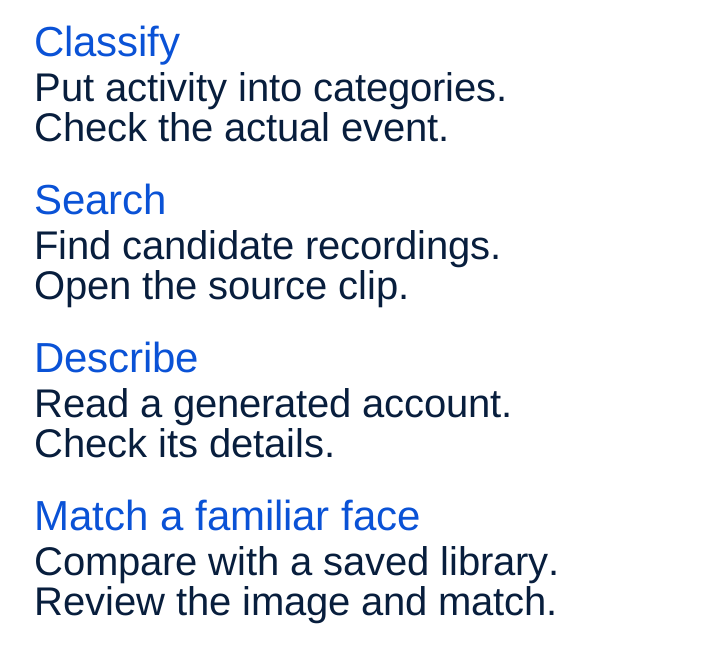
One camera may offer some of these functions and another may offer a different combination. Even within one system, a feature can depend on the camera model, app, language, country or service plan. Ask about the task you need rather than relying on an AI badge.
Finding a moment is different from explaining it
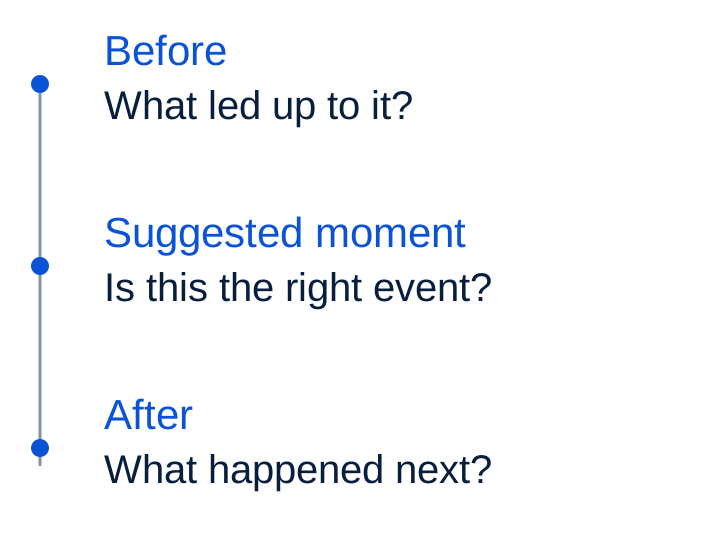
Suppose you want to find when a parcel was left at the door. A search for “person carrying a parcel” may offer a useful lead. Open the suggested result and check the camera, time and actual clip.
Then look at what happened around that moment, where the recording is available. A person carrying a box does not, on its own, tell you whether they delivered it, collected it or were doing something else. The surrounding footage may supply that context.
Try different wording if the first search is unhelpful, or use the ordinary timeline and filters. Check which cameras and recording period are included. An empty search result does not establish that an event never happened.
A description still needs a source
AI-generated text can make a long list of events easier to scan. It can also sound convincing when it has misdescribed an object or missed part of the scene. The original recording should remain your reference.
These are examples of outputs you might encounter where the relevant functions are offered. Each leaves something for you to check.
What still needs your judgement?
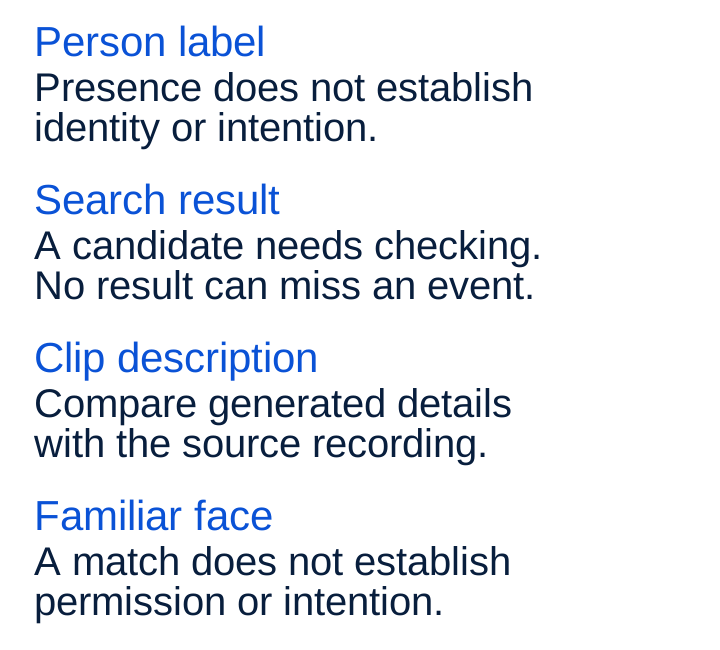
Keep observation and interpretation separate. “A person carrying a box” describes visible activity. Deciding why they carried it away needs more context. Check the footage before drawing a conclusion about the person or event.
The picture still matters
AI has to work with the information available to it. Distance, camera angle, light, movement and an obstructed view can affect what video analysis picks up. A face turned away from the camera gives a different view from one facing it.
Check the mounting guidance and the actual scene. Is the approach visible? Does the view still work in the evening? Has the camera moved, or has something started covering part of the picture?
Higher resolution is only one part of that question. It does not, by itself, establish that a particular AI function will work well. Try the complete task with your view, including the ordinary cases that are less clear than a demonstration.
What does a familiar face tell you?
A familiar-face feature can help you review arrivals by suggesting a match to someone in a saved collection. That match can be mistaken. Someone who is not matched may simply be absent from the collection or not clearly visible.
Familiarity does not establish permission or intent. Check the image and the situation rather than treating a name as a decision about who should be there.
Before enabling the function, find out how faces are added, corrected, paused and deleted, who can manage them and how the people involved are informed. Using face recognition at a shared or business entrance calls for a separate check of the applicable privacy requirements.
Where does the processing happen?
Ask where each particular AI task runs: on the camera, on a connected device, through an online service or through a combination. A system can use different arrangements for detection, search and descriptions.
Also ask what information leaves the device. That might include footage, images, sound or information derived from them. Find out who can access it, how it is used and what happens when you switch the function off or delete its data. Local recording alone does not answer those questions.
Check the ongoing conditions too. Which functions need internet access or a paid plan? What remains available if that connection or plan ends? Confirm that ordinary recording and playback meet your needs alongside the AI features.
Try a task with a known answer
Use a harmless event you can recognise in the footage, such as someone you know approaching the entrance with a box. Make sure they know about the test. Then try the relevant classification, search or description and compare the result with the recording.
Try an ordinary variation as well: different wording in a search, another approach or relevant evening conditions. Notice both wrong results and events the system fails to return. One impressive example tells you less than seeing how the task behaves across the situations you actually need.
Look around the suggested moment.
You do not need to become an AI specialist. You need a clear way to reach the source recording, recognise an unhelpful answer and continue checking without depending on that answer.
Six questions before you choose
- Which task does it help me complete? Ask for a demonstration of that task on the exact model and app.
- Can I check the result? Open the source clip, its time and the surrounding footage where available.
- What can it miss or get wrong? Try relevant everyday conditions as well as the best demonstration.
- What is supported here? Check camera coverage, recording period, language, market and any plan conditions.
- What happens to my data? Check processing locations, access, face controls and deletion for each feature.
- What happens when I cannot use it? Try the ordinary timeline, playback and other available ways to find an event.
Choose one task you would use regularly and try the whole route. The value becomes clearer when the result helps you find and understand the right moment.