

Where a recording is saved is only the start. Access, sharing and deletion decide what happens next.
You open the app, find a visitor at the door and save a clip to your phone. Later, you send that file to someone who needs to see it.
It feels like one recording. But there may now be a recording in the camera system, a downloaded file on your phone and a copy held by the recipient. Each has a place, a way to access it and a point at which you may want it removed.
Understanding that journey helps you choose a system and use it with more control.
The short answer
Ask four questions: where is the recording kept, who can access it, how long is it kept and what happens when you delete it?
Local and cloud storage describe possible places to keep recordings. They do not answer every question about privacy. The account, connected services, sharing settings and copies you make matter too.
Start with one ordinary event and follow it from recording to removal. You should be able to understand the route without becoming a technical expert.
The app is where you look, not necessarily where footage lives
An app may let you view live video, play a saved recording and download a clip. Those are different actions. Seeing a picture on your phone does not, by itself, tell you where a recording is stored.
Ask about the exact model, storage configuration and features you intend to use. A recording could be on a memory card inside the camera, on a separate recorder or in a provider's online storage. Some products combine more than one location.
Where is the recording saved?
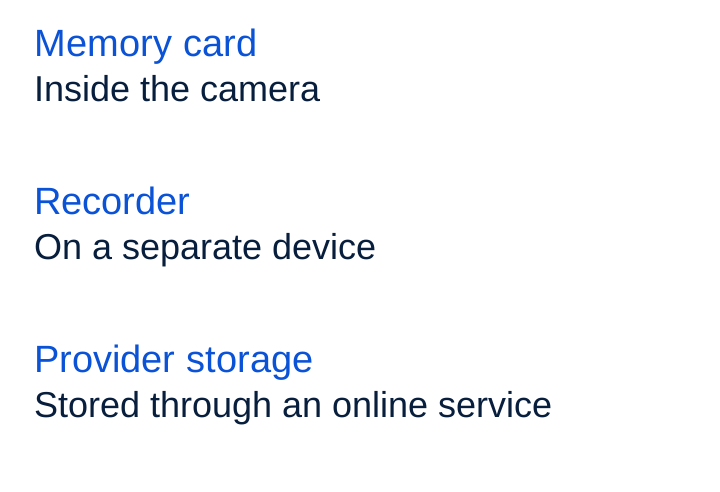
A local recording may still be viewed through an online account or use connected services for other functions. Ask what, if anything, leaves the property and which features need an internet connection.
Compare the arrangement behind the storage label
A memory card in the camera keeps that copy at the camera. Think about who can physically reach it and what happens if the camera or card is lost, damaged or removed. Ask whether there is another copy you can actually recover.
A separate recorder keeps footage on another device at the property. Check which cameras it supports, how you view and export recordings, and what happens when the recorder or its storage is unavailable. A separate box does not automatically establish a backup.
Cloud storage keeps footage on a service provider's systems. Check the storage region, access arrangements, protection and retention policy. Ask what recording or viewing is possible if the connection or service is unavailable, rather than assuming the product will behave a particular way.
A combined arrangement can be useful, but confirm which material is stored in each place and when. “Local and cloud” should lead to a clear description of the actual copies, not just two labels on a specification sheet.
Compare the complete costs too: storage media, a recorder where needed, service fees and any conditions attached to playback or export. Check what changes when a paid plan ends.
Who can access the recording?
The owner, an invited household member, a colleague and someone sent a clip do not necessarily have the same access. Look for controls that let you give people the permissions they need and remove them when the arrangement changes.
For a small business, decide who can watch live video, review recordings, export files, change settings or manage other users. Revisit access when staff leave or change roles. At home, do the same for former household members or temporary access.
Ask about the provider's access as well: who can view content, in what circumstances, and how support access is controlled. A storage address alone cannot answer those questions.
Who can do what with the footage?
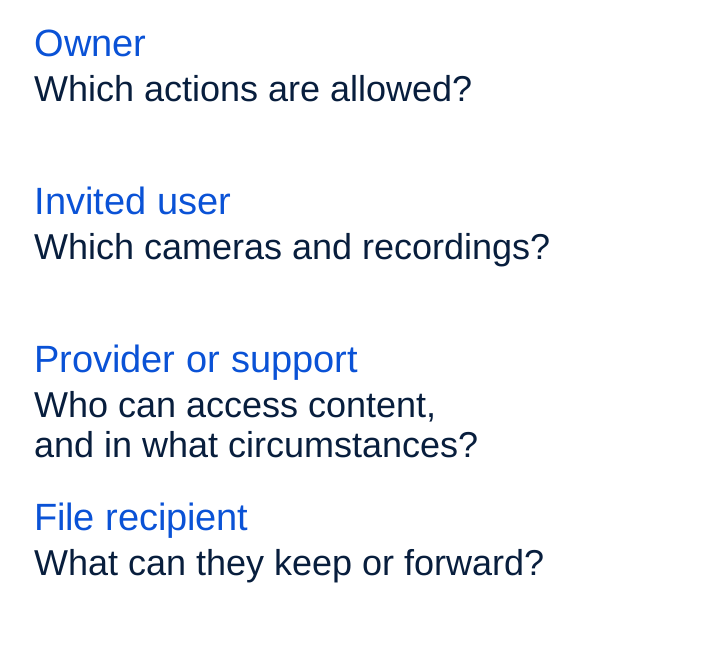
Keep account protection in mind, but also check what happens after someone has legitimately signed in. A person allowed to view a clip may have different permissions from someone allowed to download or forward it.
What does “encrypted” tell you?
Encryption protects information by requiring the appropriate key to read it. Ask whether it covers recordings while they travel, while they are stored, or both, and who can use the keys.
End-to-end encryption is a more specific arrangement: the content is protected between the communicating endpoints, rather than being readable by a service in between. Check which functions and data it covers, including shared access and recovery. It does not mean that every piece of related information is hidden or that an exported file remains protected in the same way.
You do not need to inspect the cryptography yourself. You do need a precise explanation of the provider's claim and its scope.
One recording can become several copies
Imagine you download a clip and send the file to someone else. In this example, there are three places to consider: the saved recording in the camera system, your downloaded file and the recipient's file.
Deleting the stored recording does not establish what has happened to those separate files. Your download may also be included in your phone's normal backup arrangements, depending on where you saved it and your settings.
One event. Separate copies.
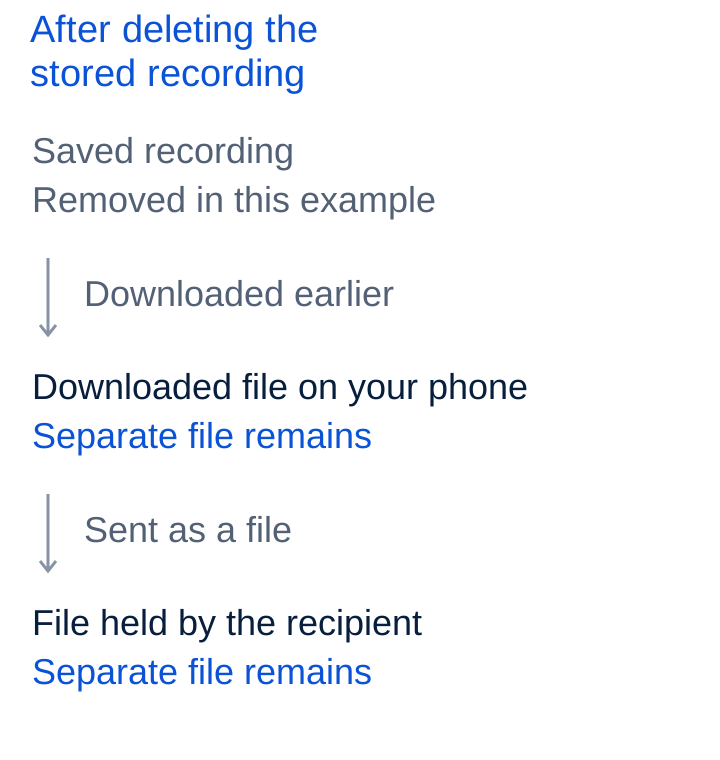
Sharing a link is a different action from sending a file. If the service supports revocable links, check whether access can expire or be withdrawn, whether recipients can download, and what happens to files already downloaded. Removing access is not the same as recalling every copy.
Before sharing, choose the relevant part of the recording and the intended recipient. Consider who else appears in it and whether the clip needs to be sent at all.
Keep footage for a reason
Choose a retention period, meaning how long footage is kept, for the purpose of recording. Enough storage for a long history is not, by itself, a reason to keep it all.
For example, a business may need to check an incident before routine footage is removed. A clip kept for that incident then needs its own reason and review point. There is no single number of days that fits every setting or purpose.
Check how the product applies your choice. Does it remove older events automatically, overwrite them only when storage is full, or require you to act? An automatic storage limit and a deliberate retention policy are not necessarily the same thing.
Check what each delete action covers
Removing one event, deleting an account and resetting a camera are different actions. Follow the product's instructions and check which recordings, permissions and connected services each action affects.
For provider-held footage, ask about deletion from active storage and any backups or recovery periods. Do not assume that the word “deleted” promises immediate removal from every system. Ask how long any remaining copies are held and what prevents them returning to normal use.
Before moving to another product, check how to export material you still need and then remove the copies and access you no longer need. Keep any exported files under their own access and retention arrangements.
Privacy also starts with what you record
Keep the view focused on the area you need and switch off audio if it is unnecessary. If you use privacy settings, ask whether they change the recorded picture, the alerts or both. Check a saved recording and an export to see the result.
Privacy responsibilities depend on the country and the setting. Check the applicable guidance, particularly when recording staff, shared or public areas, or other people's property. A storage choice does not settle whether the recording itself is appropriate.
Six questions before you choose
- Where is each recording saved, and which other data or copies are created?
- Who can view, download, share or delete it, including provider or support roles?
- Which functions use online services, even with local storage, and what happens during an outage?
- How can I choose a retention period and check that it is applied?
- What do deletion, reset and account closure cover, including exports, backups and shared access?
- What happens to access, recordings and export options when I stop paying or stop using the product?
For a camera you already own, follow one event: find where it is saved, check who can access it, make a test export and understand how removal works. Use a harmless test scene rather than someone else's private moment.
The useful choice is a recording arrangement you can understand and manage throughout its life, from the moment the camera captures it to the copies you decide to keep or remove.